 NexMask-官方博客
Anonymous email itself is not dangerous. Used correctly, it is safer than filling in your real email everywhere. Problems usually arise from two situations: using a one-time temporary email to register an account you'll need to log into later, or assuming that changing your email address makes you completely anonymous.
First, choose by purpose:
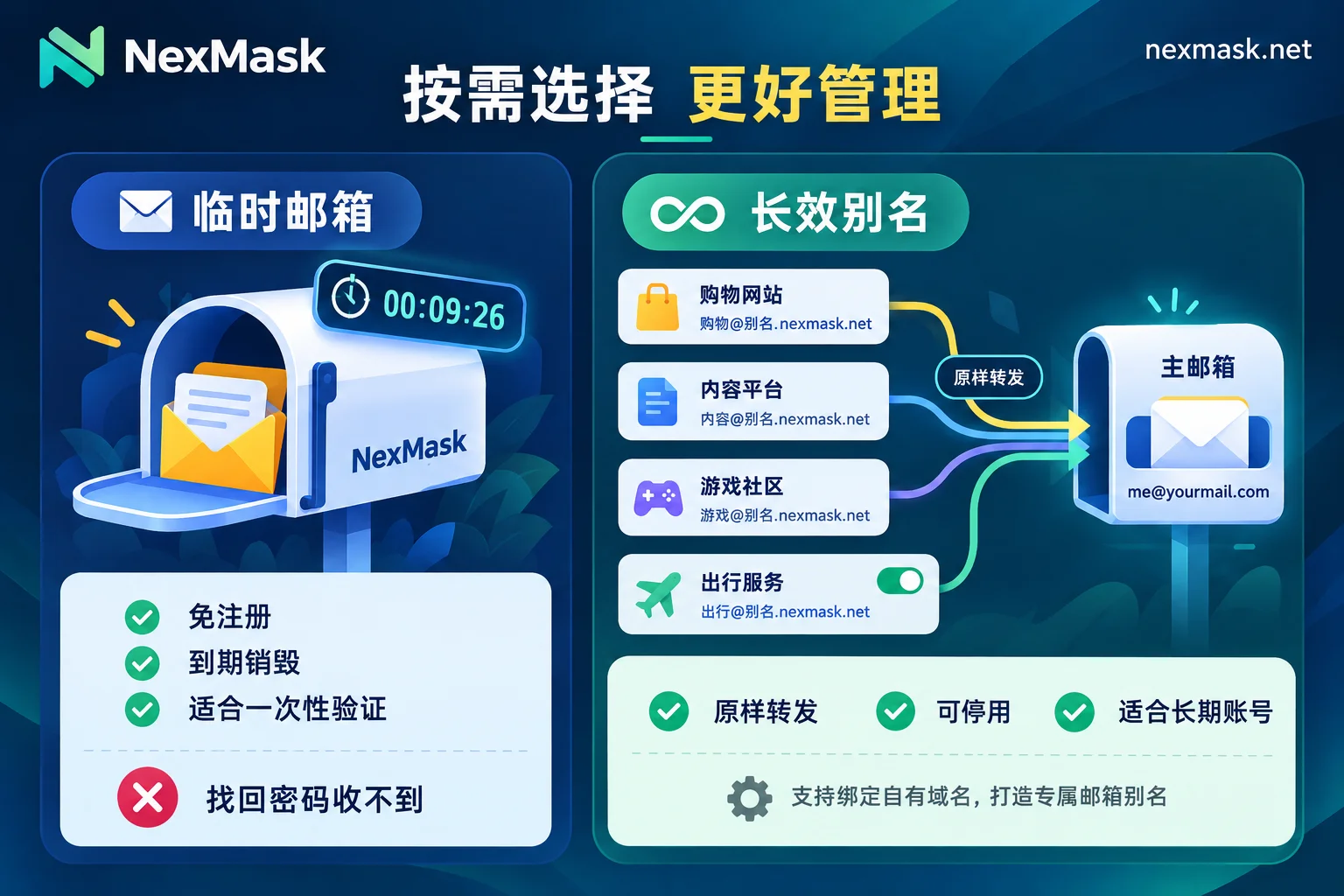
- For a one-time verification code, downloading a file, or trying a service: use a temporary email. It's easy and leaves no mess in your main inbox.
- For accounts you'll log into later, receive bills, or might need to reset passwords: use a long-lived alias that forwards to your regular email.
- For important accounts involving money, documents, or work credentials: do not use a temporary email. Whether to use an alias or your real email depends on whether the platform accepts aliases and whether you can maintain the alias long-term.
What Anonymous Email Protects Against
Many websites use email as a way to identify users. If the same email appears on several platforms, data can be pieced together to form a profile of you. Using a different address for each website makes such linking impossible.
The second benefit is reducing the fallout from a breach. When a website's user database is leaked, only the address specific to that site is exposed. If someone tries to use it for credential stuffing elsewhere, it won't match your login email; if it's sold to marketing lists, spam will only go to that one address.
The third benefit is control. Long-lived aliases can be deactivated individually, cutting off one address without affecting your main inbox or other websites.
Two Types of Anonymous Email, Different Risks
Temporary email typically requires no registration, has no password, and the entire inbox is destroyed after expiration. It's suitable for throwaway scenarios. Using it for long-term accounts is risky: later, when you encounter two-factor authentication, new device login confirmation, or password recovery, verification emails will be sent to an inbox that no longer exists, and you may lose the account.
Long-lived aliases forward emails as-is to your real inbox, showing only the alias externally. Bills, verification codes, and password reset emails arrive normally. If a website starts sending spam, simply deactivate that alias. The prerequisite is that you trust the provider and the alias remains usable.
Five Common Risks and How to Handle Them
1. Account Cannot Be Recovered
This is the most common problem with temporary email. Before registering, ask yourself: will I still log into this account in a month? If yes, use a long-lived alias directly. If you've already registered an important account with a temporary email, while you can still log in, immediately change the email in the account settings. For remedies when the email has expired, see What to Do When Temporary Email Expires.
2. Received Emails Are Visible to Others
Some public temporary email services have no password protection. If someone guesses or stumbles upon the same address, they can see the emails inside. Therefore, use temporary email only for unimportant verification codes and notifications, not for emails containing passwords, documents, contracts, or payment information.
3. Registration Rejected
Many large platforms, especially financial and mainstream social services, maintain a list of known disposable email domains and reject registration from such domains outright. These lists are not public; you can only judge by submission results. If rejected, try a long-lived alias or an address under a custom domain. Such addresses are usually less likely to be blocked, but acceptance is not guaranteed. For specific troubleshooting, see What to Do When Temporary Email Is Rejected.
4. What the Provider Can See
When using a forwarding service, emails pass through the provider before reaching your inbox. Privacy in that segment depends on the provider's own policies. When choosing a service, look for three things: a clear statement of zero logging and no IP recording; the ability to deactivate aliases at any time; and the ability to migrate your domain if you use your own.
5. Identity Information Beyond the Address
Anonymous email only hides the email address. Your IP, browser fingerprint, email signature, author information in attachments, and the real name and phone number you provide during registration can still reveal your identity. If you need greater anonymity, these areas must be addressed separately; just changing your email won't solve it.
Using Long-Lived Aliases: Do These Steps Well
- One alias per website, and note the site name in the alias description so you know where an email comes from at a glance.
- Enable two-factor authentication on the forwarding target inbox. All alias emails end up in this inbox, so its security is paramount.
- Reply using the alias identity. If you hit reply directly in your main inbox, the recipient may see your real address.
- If an alias starts receiving irrelevant marketing emails, it usually means the address was leaked or sold. First log into that website and change the email to a new alias, or confirm the account is no longer needed, then deactivate the old alias. Reversing the order means you won't receive password reset emails for that account later.
How to Choose on NexMask
For one-time use, use NexMask Temporary Email: no registration, no phone number required, and the entire inbox is destroyed after expiration. For accounts you'll log into later, use Long-Lived Aliases: one alias per website, emails forwarded as-is to your regular inbox, send and reply using the alias identity, and deactivate whenever you want. The free plan includes one long-lived alias. NexMask implements zero logging and does not record IPs. Expiration days and membership features are subject to the official website.
To learn more about the risks of temporary email specifically, see Is Temporary Email Safe?.




Comments(0)