 NexMask-官方博客
In today's world of frequent account leaks and marketing tracking, "one site, one address" (using a separate email address for each website) has become a digital hygiene habit for many. When searching for email alias service comparison, you will usually see SimpleLogin, addy.io, Firefox Relay, DuckDuckGo Email Protection, and Apple's "Hide My Email" as the usual suspects.
Most reviews focus on "how many aliases the free version gives" or "how much forwarding traffic is allowed per month." However, after a few months of actual use, many users want to switch tools due to several other hidden pain points: it's too cumbersome to proactively contact customer support using an alias, public alias suffixes are rejected by websites with strict risk control, or you clutter your alias list just to get a one-time whitepaper.
This article will go beyond simple parameter listings and compare mainstream solutions from four core experience dimensions for long-term use, and see how NexMask simplifies and fills in the gaps for these pain points.
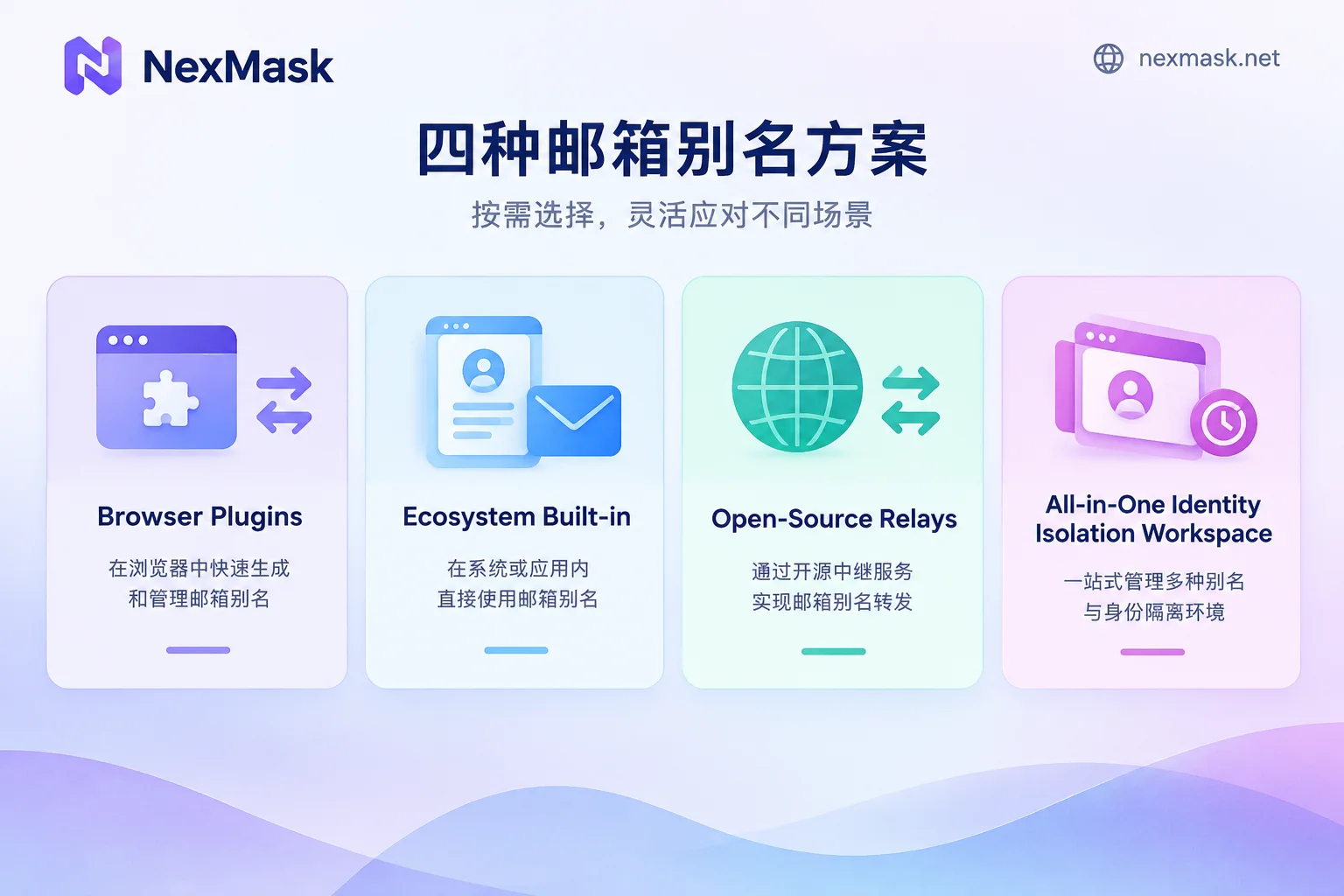
I. Positioning Differences of Four Mainstream Email Alias Solutions
Before choosing a tool, understanding the underlying DNA of different products can help you avoid detours:
- Browser and Search Plugin Faction (Firefox Relay, DuckDuckGo Email Protection)
Focus on "convenience." Install a plugin and generate aliases with one click in web forms, suitable for light anti-spam users. But their functionality usually stops at "one-way receiving and forwarding," and they struggle when you need to actively send emails, bind multiple domains, or manage finely. - Hardware and Ecosystem Binding Faction (Apple Hide My Email, Proton Pass)
If you are deeply embedded in the Apple ecosystem or Proton ecosystem, these built-in tools are very smooth. But we have previously discussed the limitations of system-built-in privacy features across platforms—once you switch to a Windows PC, Android phone, or want to forward emails to multiple different mailboxes outside the ecosystem, the experience drops significantly. - Professional Open-Source Forwarding Tools (SimpleLogin, addy.io)
Evergreens in the geek community, supporting PGP encryption, custom domains, and other deep configurations. However, for ordinary users or efficiency-focused operators, their backend configuration options are complex, and when "actively sending," you need to manually create so-called "reverse aliases," resulting in a long operation chain. - Full-Scenario Identity Isolation Workbench (NexMask)
Not only provides long-term anonymous email (aliases) that can receive and send, and custom domains, but also separates one-time verification code scenarios into registration-free temporary email and major provider suffix temporary email, and includes an address identity generation tool for testing, suitable for users who need a one-stop solution for "daily privacy isolation + strict website checks + multi-account testing."
II. Four Key Comparison Dimensions Determining Long-Term Experience
When comparing mainstream services side by side, the following four details often make the real difference in daily use:
1. Reply and Active Sending: Still Manually Calculating "Reverse Addresses"?
Many people think email aliases are only for receiving verification codes, until one day an account has an issue and platform support asks: "Please contact us using the email bound to your registration to verify your identity."
- Some lightweight services (e.g., Firefox Relay free or addy.io free): Only support receiving and forwarding, not replying or actively sending. In such cases, you can only stare helplessly.
- Traditional reverse alias mechanism (e.g., SimpleLogin, DuckDuckGo): Replying directly to forwarded emails usually works, but if you want to proactively start a new email, you need to go to the backend, enter the recipient's address, generate a long string of a dedicated reverse sending address, copy it back to your usual email client, and then send.
- NexMask's approach: Simplifies the two-way communication chain. When using NexMask long-term anonymous email, after receiving a forwarded email, simply click reply in your usual email (such as Gmail, QQ Mail, 163, Outlook, etc.), and the reply will automatically be sent as the alias, never exposing your real address; if you need to proactively write a new email, just open the web console to send as the alias, without dealing with complex reverse address conversion (for details, see Analysis of Anonymous Email Forwarding and Reply Mechanism).
2. Breakthrough Capability When Suffixes Are Blocked and Exit Sovereignty
Any well-known email alias provider, once it gains a large user base, its default public domain suffix will inevitably be blacklisted by some SaaS platforms, AI tools, or e-commerce websites with strict risk control. When comparing email alias services, be sure to see what backup options the provider offers.
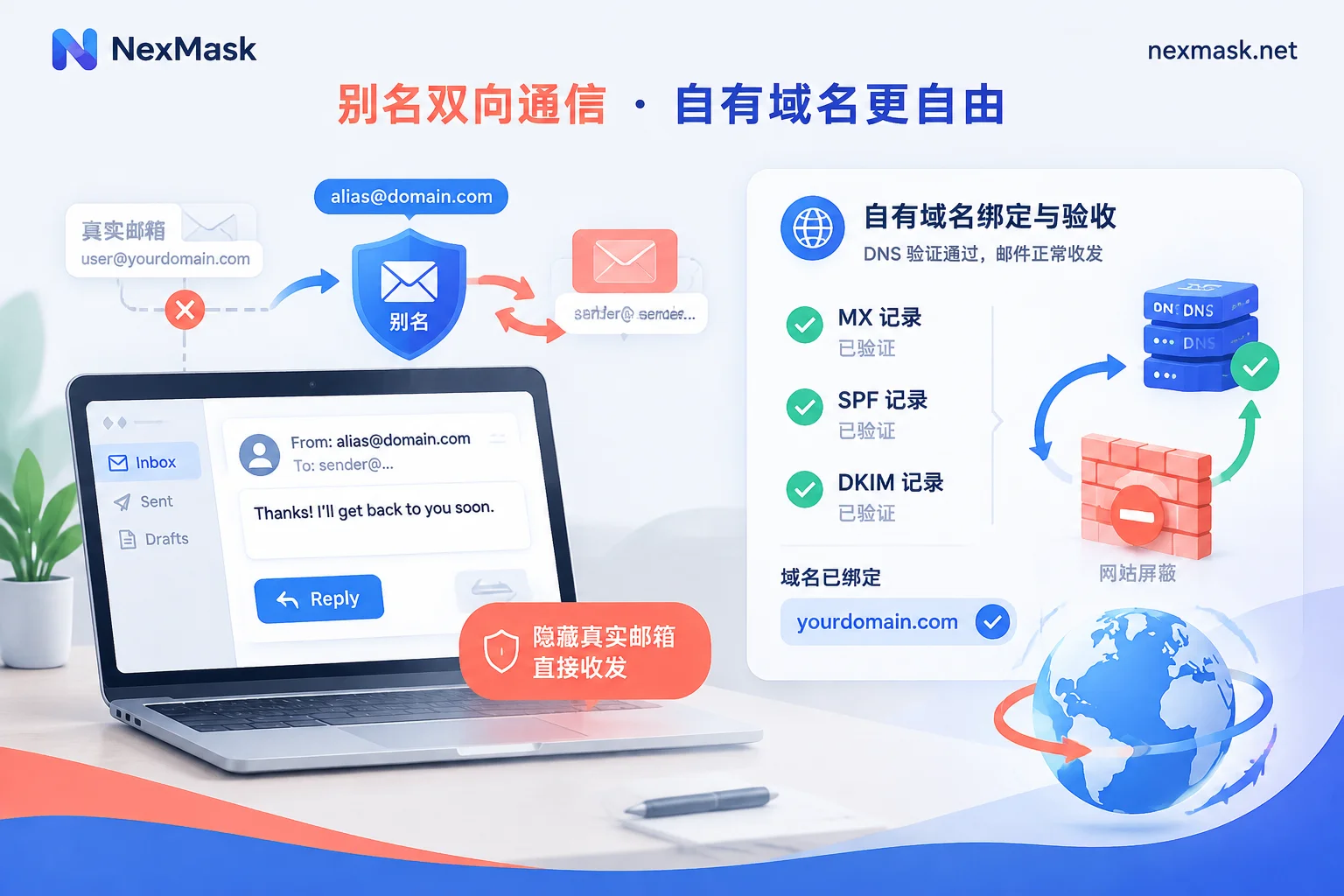
Mainstream paid alias services basically all support binding custom domains, but the configuration experience and backup solutions for extreme blocking differ:
- Own domain configuration and sending alignment: In NexMask custom domain (member feature), after adding MX and verification records in your domain registrar's backend, the console will display the detection status of each record in real-time and guide you to configure SPF and DKIM. This not only allows you to enable
catch-all(receive emails with any prefix without creation), but also ensures deliverability when sending from your own domain address. Your own domain does not share a suffix with others, so websites cannot tell you are using an alias service. - No lock-in and exit plan: Many people worry when comparing alias services, "What if I want to switch providers later?" When using your own domain, domain ownership is entirely yours. If you want to migrate someday, just change the MX records in your domain backend to the new provider for seamless migration. If you are planning to move from another platform, you can also refer to our migration guide.
- Emergency solution without a domain: What if you encounter a strict website that only accepts mainstream commercial email providers and you don't have a custom domain? Other alias services usually have no solution, but NexMask additionally offers a registration-free major provider anonymous temporary email, where you can directly obtain ready-made
@gmail.com,@outlook.com,@hotmail.comaddresses to receive one-time verification codes (Note: major provider temporary emails are only for receiving emails during the claim period, do not support sending or password recovery; for long-term accounts, please prioritize long-term aliases or custom domains).
3. "Lightening the Load" for Long-Term Aliases: Don't Use Formal Aliases for One-Time Junk
After using SimpleLogin or Firefox Relay for a while, many people accumulate hundreds of aliases in their backend, and more than half were created casually for "downloading a document," "reading a locked article," or "testing a temporary tool." These zombie aliases not only consume free quota but also make the list of truly important accounts hard to find.
A more reasonable strategy is offloading by lifecycle (for details, see Division of Labor Between Temporary Email and Long-Term Aliases):
- Websites you will log into later, recover passwords, or receive bills from: Use NexMask long-term anonymous email. One alias per site, usable throughout the validity period and renewable. If an alias starts receiving spam, you can immediately tell which website sold your data, and simply disable that alias without affecting other accounts.
- One-time verifications that you will never return to: Directly open the registration-free, no-phone-number NexMask temporary anonymous email (claim portal: app.nexmask.net). Close it after receiving the verification code, and upon expiration, the inbox and emails are automatically destroyed, without polluting your long-term alias list.
4. Forwarding Privacy and Email Retention Policy
Since you are looking for email aliases for privacy, how the provider treats your emails is crucial.
In the design of NexMask email forwarding, the system forwards the email body, attachments, and sender information as-is to your designated usual email, and you can clearly see which alias it was sent to. The receiving mailbox does not require cumbersome account authorization; just enter the address to receive emails, and each alias can independently toggle forwarding (members can also forward to multiple target mailboxes simultaneously, or set different targets per alias).
Regarding data privacy, NexMask adheres to the minimization principle: does not record access IP and device fingerprints, does not retain body copies on the server after successful delivery, and never retains copies of destroyed temporary emails—they cannot be recovered—and does not sell or analyze your email content (see Privacy Policy for details). Registering an alias account itself only requires an email address, with no need to bind a phone number.
III. Beyond Email: Added Value for Development Testing and Cross-Border Forms
When comparing email alias services, there is another group whose needs are often overlooked by traditional email tools—developers doing multi-account operations, cross-border business registrations, or QA form testing.
When registering for overseas services or testing registration flows, besides needing an isolated email, forms often require names, street addresses, cities, postal codes, and phone formats that comply with local postal rules. With traditional alias tools, you would need to find a fake data generator separately.
NexMask directly includes a registration-free real-format address and identity generator in its toolbox (covering United States, United Kingdom, Canada, Australia, Germany, Japan, Singapore, Hong Kong, etc., generated locally in the browser without going through the server). When generating, it provides a name, address, and phone that comply with the country's postal code validation rules, and directly includes an anonymous email, supporting one-click copying of the entire set or by field (Note: generated identities are for form format validation and privacy placeholder only, not real documents; phone numbers cannot receive SMS, and cannot be used for real verification such as financial or government affairs).
IV. Conclusion: How to Choose the Best Solution for You?
Back to the original question, with so many email alias services, how do you choose?
- If you only use Apple devices and do not need cross-platform management or custom multi-domain forwarding, the system's built-in Hide My Email is sufficient;
- If you like self-hosting or rely heavily on local PGP keychain management, open-source addy.io or SimpleLogin are still great geek toys;
- But if you want to save the cumbersome reverse address configuration and want to handle "long-term alias two-way sending and receiving + custom domain anti-blocking + one-time temporary email offloading + form address generation" in the same clean workbench, then give NexMask a try.
You can first experience the registration-free temporary email, or register at NexMask app with any email to freely claim your first long-term alias and major provider suffix temporary email. Still unsure which combination suits your business scenario? Check out our scenario-based selection guide.




Comments(0)