 NexMask-官方博客
In the summer of 2026, a security news story made many privacy-conscious users gasp: a security research team disclosed that Apple's iCloud+ flagship "Hide My Email" feature had a mechanism vulnerability that persisted for over a year—when emails sent to a hidden address were rejected as spam by the recipient, some email logs would directly expose the real Apple ID email bound behind it. Testers even used a randomly generated hidden address to reverse-lookup the owner's real primary email in just five minutes.
Although the vulnerability was later patched, it—along with system-level privacy emails promoted by major tech giants in recent years (such as Apple's Hide My Email and Google's tested Shielded Email)—exposes an easily overlooked blind spot: when you rely entirely on a single hardware ecosystem or primary account to "hide your real email," your anonymous identity is still tied to your core digital identity by the same rope.
To truly hide your real email, you must not only fend off marketing bombardments from external websites and cross-site tracking by data brokers, but also avoid ecosystem lock-in, suffix blocking, and correlation leaks in the forwarding chain. Below, starting from practical pain points, we break down how to build an independent, cross-platform, and controllable email isolation defense line with NexMask based on different registration scenarios.
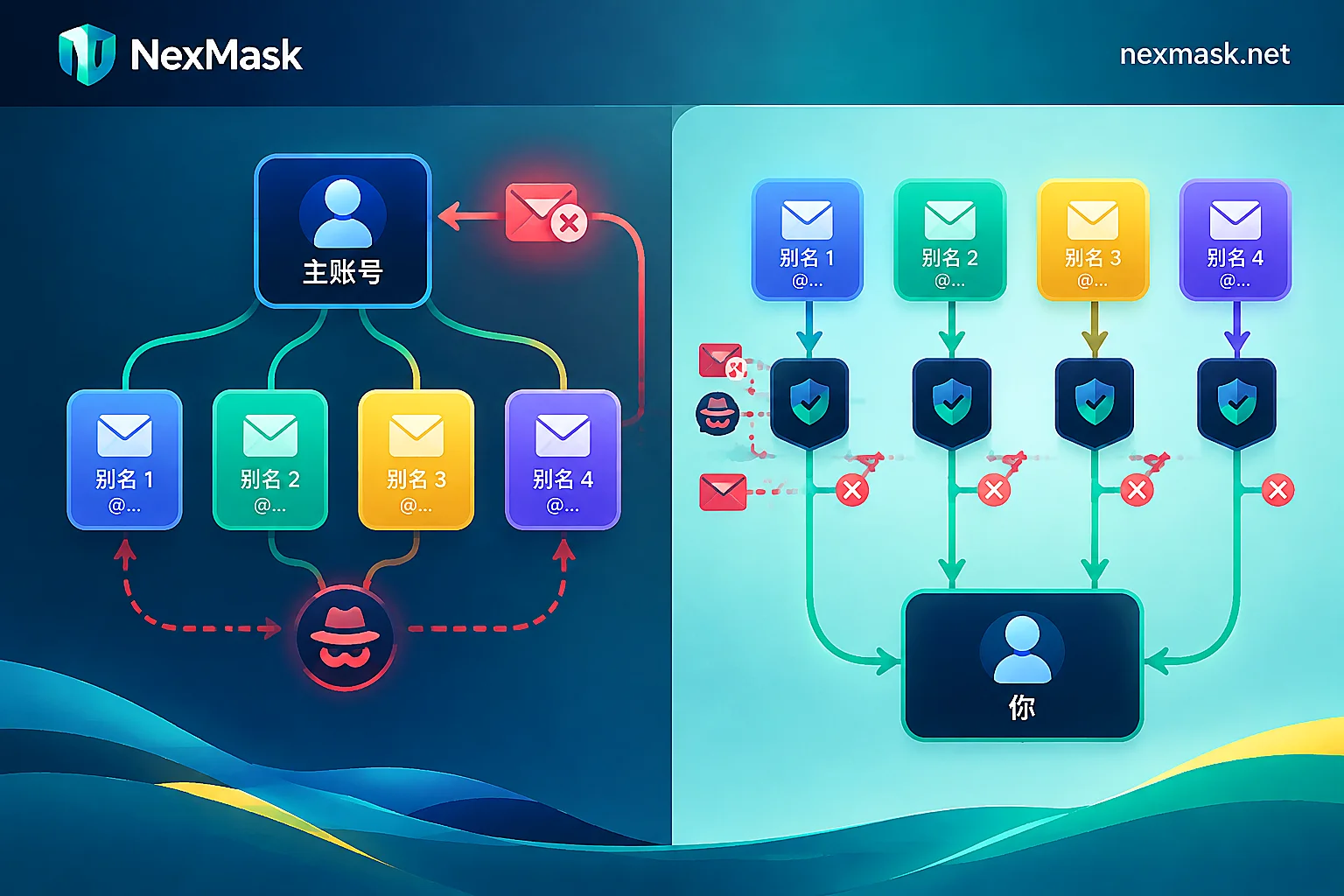
Why is the built-in "Hide My Email" not enough?
Many people habitually click confirm when their phone or browser pops up "Hide your real email?", but in cross-platform work, overseas service registrations, or multi-account operations, they quickly encounter four practical obstacles:
- Strong binding to ecosystem and primary account: Whether on Windows, Android, iOS, or Linux, built-in solutions often require you to log in to a giant account tied to your phone number and real-name payment method. Once a log leak vulnerability or compliance request occurs, the front-end "alias" directly points to the real-name identity in the backend.
- Characteristic domains are easily blocked across the board: System-generated privacy addresses usually carry a highly recognizable fixed suffix (e.g.,
@privaterelay.appleid.com). Nowadays, many SaaS platforms, AI tools, and e-commerce sites block such dedicated relay suffixes directly in registration forms to prevent abuse. - Mixing one-time and long-term needs: Claiming a whitepaper or testing an unknown form should not have any forwarding relationship with your regular inbox. If all temporary registrations go through a forwarding channel, even without exposing your real address, bounce probes and spam will constantly drain your primary email's energy.
- Other form fields still betray you: You only hide the email, but fill in your real name, billing address, or associated phone on the same registration page; data brokers can still reconstruct your real identity through graph stitching.
The core of a true email hiding strategy lies in "physical disconnection" and "layered isolation" (if you want to understand why simple symbol variations cannot prevent tracking, refer to our previous article Farewell to the Gmail "+" Misconception: Build a One-Site-One-Address Receiving Defense).
Precisely hide your real email by scenario: three isolation solutions
Don't use the same tool for all online registrations. Split daily needs into "use and discard," "pass whitelist," and "long-term holding" to be both worry-free and secure.
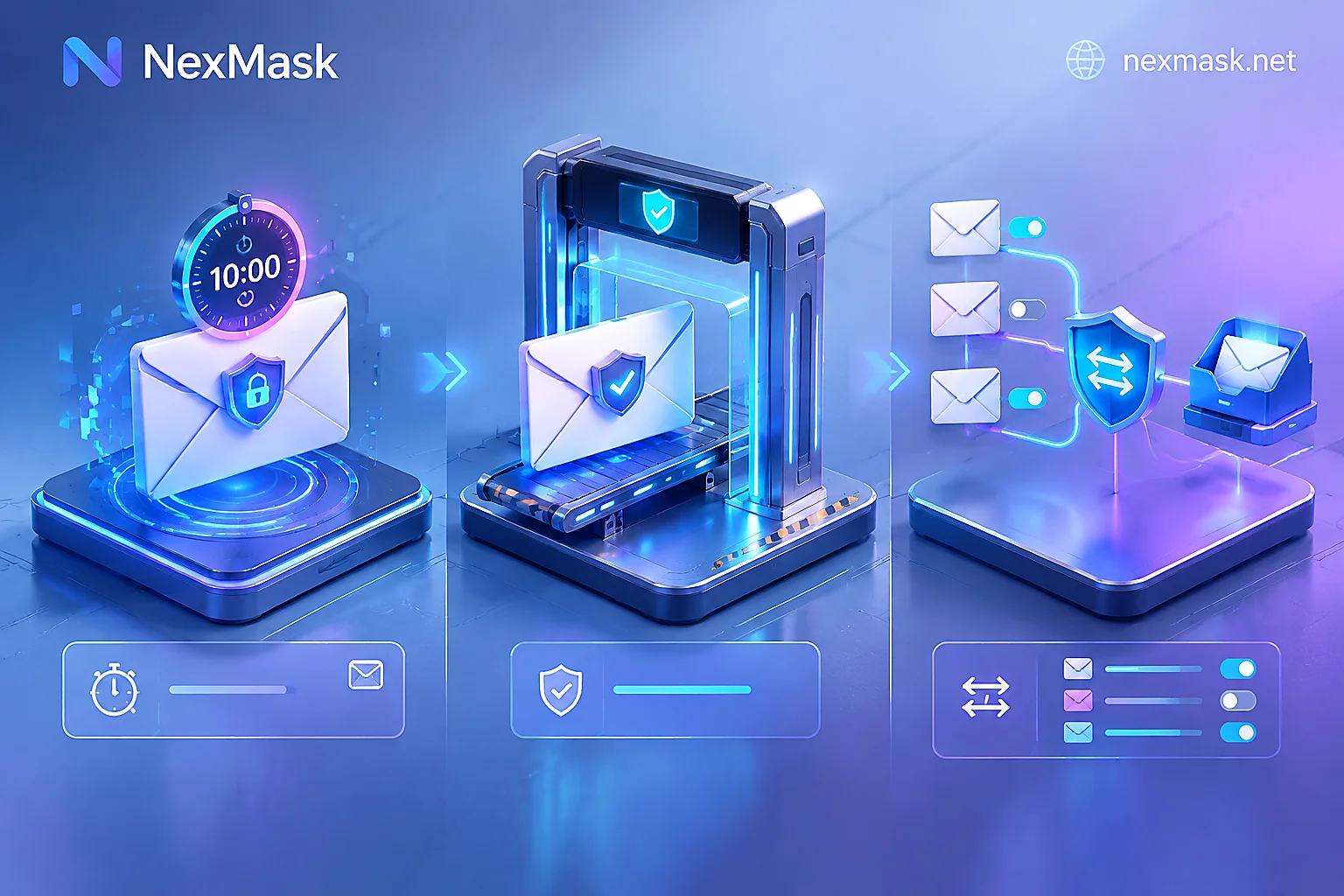
Scenario 1: Claiming materials, connecting to public Wi-Fi, one-time trials — complete disconnection, not even forwarding
If you only plan to visit a website once (e.g., reading a report blocked by a "registration wall," downloading free materials, testing a newly launched tool), the safest way to hide is not "forwarding emails to your real inbox" but not letting your real email participate at all.
- Solution: Use NexMask temporary anonymous email directly.
- Why it's safer: No registration, no phone number needed. Open the NexMask claim portal to get an inbox dedicated to receiving verification codes. This inbox is only visible in the current browser session where you claimed it; after expiration, the inbox and its emails are destroyed together, with no server copy and no recovery. Since your personal email is not bound at all, there is naturally no possibility of reverse-lookup through bounce logs.
Scenario 2: Encountering strict suffix whitelists — use big-tech anonymous temporary emails to pass checks
When registering on some overseas forums, educational resource sites, or claiming AI trial credits, you may find that ordinary temporary emails or even Apple privacy suffixes are prompted with "Please use a mainstream email to register" (for troubleshooting such blocks, see What to Do When Temporary Emails Are Rejected).
To pass a registration verification by re-registering a Google or Microsoft account, you not only get stuck on phone verification but also leave new device associations.
- Solution: Claim ready-made Gmail temporary email, Outlook temporary email, or Hotmail temporary email according to website preference.
- Why it's more practical: No need to create your own Google or Microsoft account, no phone binding. Register-free and free to claim an
@gmail.com,@outlook.com, or@hotmail.comaddress to receive verification codes. During the claim period, the inbox is only accessible to the claimer (members can claim in bulk, hold multiple simultaneously, and keep them longer). - Usage boundary reminder: These big-tech temporary emails are specifically for receiving emails to pass checks during the claim period. They only receive, not send, do not provide account passwords, cannot log in to Gmail/Outlook web versions, and cannot be used for "Sign in with Google" or logging into Teams, Xbox, OneDrive, etc. If the account will later need password recovery or important notifications, please use the long-term solution below.
Scenario 3: Long-term formal accounts — one site one alias + two-way stealth replies
For platforms like cross-border e-commerce, long-term SaaS subscriptions, independent developer communities, etc., where you will later log in, recover passwords, or even email customer service, you need a long-term channel that both hides your real email and stably sends/receives (readers still unsure how to distinguish can read What's the Difference Between Anonymous Email and Temporary Email).
- Solution: Use long-term anonymous email (alias) with email forwarding. Advanced users can bind a custom domain.
How to avoid exposure throughout:
- Minimal setup, no phone binding: Registering a long-term alias on NexMask only requires a receiving email address, no phone number, and the system does not record access IP or device fingerprints.
- One site one address, precise traceability: The free version includes one alias; members can create multiple aliases and set multiple forwarding targets. Assign an independent alias to each website, and emails are forwarded as-is to your Gmail, QQ Mail, 163, or Outlook (just fill in the address, no email authorization needed; the server does not retain message copies after delivery). If an alias starts receiving spam, you can immediately see which website sold the data, and simply disable or turn off forwarding for that alias in the console without affecting other accounts.
- Two-way hiding of real address: Not only can you hide when receiving, but when you need to contact website customer service, you can send emails directly as the alias from the console, or click reply directly on a forwarded email; the reply is still sent as the alias, and the other party never sees your real email (for details, see How Anonymous Email Forwarding Works).
- Own domain completely escapes public suffixes: If you worry about public suffixes being blocked by some high-risk-control platforms, members can bind their own domain. After configuring MX, SPF, DKIM, and enabling catch-all following the console's real-time detection guide, any prefix can receive emails without pre-creation, and you can also send from your own domain; the domain belongs to you, and you can change MX back and migrate out at any time.
Fill the last gap: while hiding email, don't let form addresses betray you
Many websites, when registering or downloading resources, not only require an email but also force you to fill in name, street address, postal code, and phone. If you use an anonymous email but casually trigger browser autofill below, handing over your real home address and name, "hiding your real email" loses most of its meaning.
For such non-identity-verification overseas form filling and QA testing needs, you can directly use the register-free real-format address and identity generator:
- Compliant format passes validation: The address generator supports country-specific generation for the US (including US state-by-state generator), UK, Canada, Australia, Germany, Japan, Singapore, and Hong Kong, strictly following each country's postal and address rules, and can smoothly pass common form format and postal code validation.
- Local generation, copy the whole set: Provides random name, compliant-format address, phone, and an anonymous email at once, and country-specific pages generate locally in the browser without going through a server.
- Note: Generated identities and addresses are for privacy placeholder and form testing only; they do not correspond to real residents, cannot receive SMS or packages, and cannot be used for real identity verification such as banking, government affairs, or visas.
Conclusion: Take back control of your privacy
The endless data breaches and system tool vulnerabilities in 2026 all prove one thing: true privacy security is built on "minimized exposure" and "decentralized isolation."
Rather than betting all website virtual passes on a single phone manufacturer or giant account backend, spend a minute building your own tiered isolation habits: for one-time verification, go directly to the NexMask app to claim a burn-after-use temporary inbox; for long-term accounts, use an independent long-term anonymous email with one-site-one-address forwarding management. When you no longer hand over that single real primary email to the internet, spam, credential stuffing, and cross-site tracking will truly be cut off from you.




Comments(0)