 NexMask-官方博客
The core logic of online temporary email is simple: get an address, use it for receiving, and it expires automatically; your real email never appears. But two practical issues arise: sometimes verification codes don't arrive, and not every scenario is suitable. Understanding these two points helps you choose between one-time email and permanent aliases.
Scenarios Ideal for Temporary Email
Temporary email is best suited for registrations where you don't plan to manage the account afterward:
- Single download: When a site requires an email to download a whitepaper, template, or trial package, and you don't want future email bombardment.
- Promotions or offers: Register to get discount codes or trial accounts, then discard.
- Development and QA testing: When testing registration flows or email-triggered logic, you need temporary receiving addresses to avoid polluting your primary inbox or production database.
- Trying unfamiliar platforms: If unsure whether a new service is worth long-term use, test it with a temporary email first; if it proves valuable, consider formal registration.
These scenarios share a common trait: losing the account is inconsequential, no future retrieval or ongoing email correspondence is needed.
Two Common Reasons Verification Codes Don't Arrive
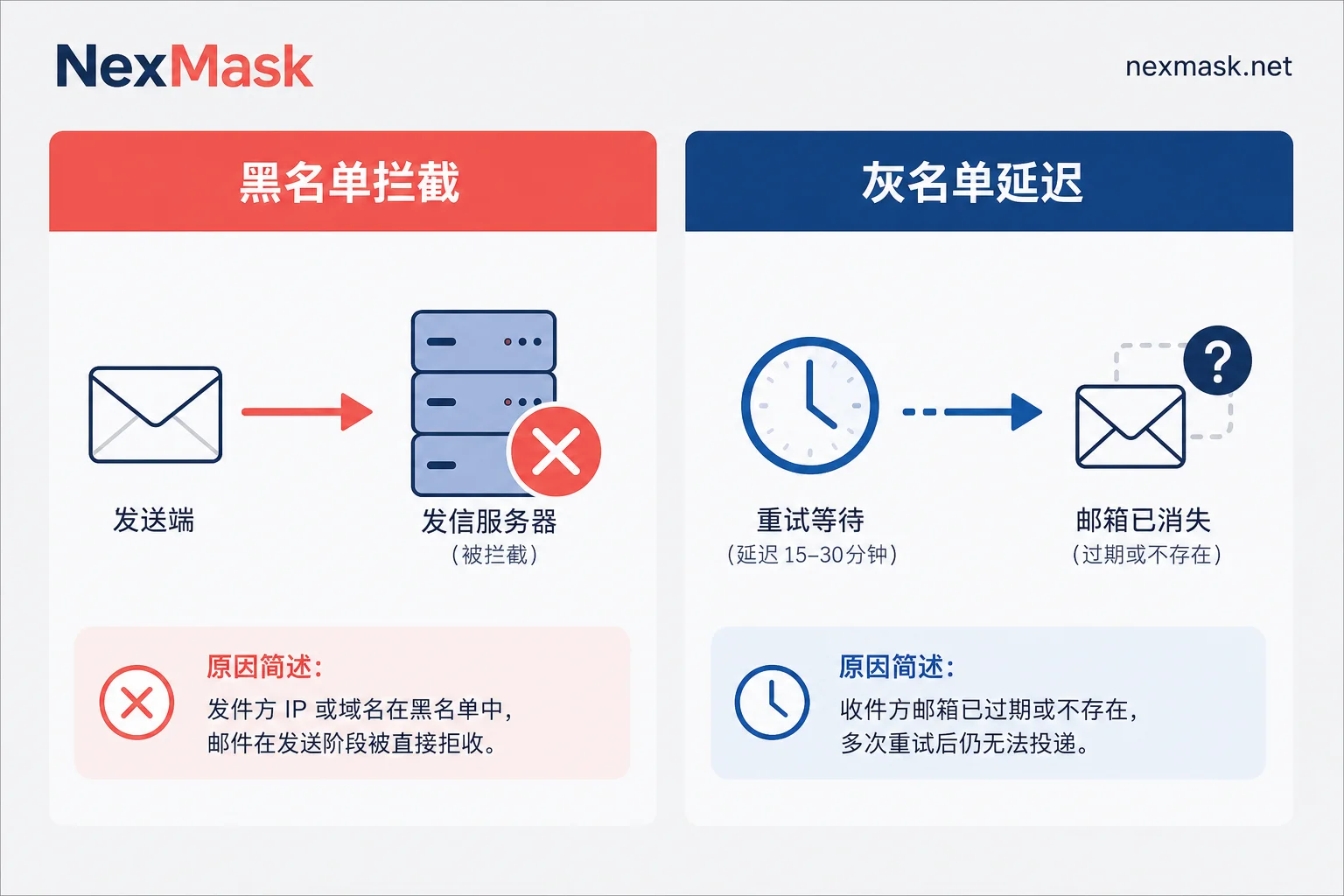
First: The sender directly rejects delivery
Many platforms check submitted email addresses against real-time domain blacklists or use dedicated APIs to detect known temporary email providers. If matched, the email is discarded at the sender's end; the code is never sent, and the registration form often shows an error like "Invalid email format" or "This email type is not supported."
This is not a delivery issue; it's proactive filtering by the sender. The more popular and well-known the temporary email domain, the higher the chance of being blocked.
Second: Greylist delay exceeds the mailbox's lifespan
Some mail servers use greylisting—they temporarily reject the first delivery attempt, requiring the sender to retry later. This is meant to filter spam bots. Legitimate mail servers typically retry within minutes to hours, but if a temporary mailbox only lasts for about ten minutes, the greylist retry window may not close before the mailbox expires, causing the email to be lost permanently.
This is one possible cause, not the only one. If you've waited a long time and received nothing, first check whether your temporary mailbox is still within its validity period.
Where Temporary Email Should Not Be Used
Two scenarios where temporary email can get you into trouble.
Accounts you'll need later: Banking, payment platforms, government services, and long-term SaaS subscriptions will require password resets or billing notifications. Once a temporary email expires, the address disappears, severing your recovery channel.
Privacy risks of public inboxes: Some free temporary email services have public inboxes; anyone who knows the address can read the email content. If emails from the platform contain personal information, there's a risk of exposure. Always check whether the inbox is private before choosing a service.
Temporary Email vs. Permanent Alias: How to Choose
To decide, ask one question: Will you use this account in the future?
If the answer is "No"—you'll discard it after use and don't care about losing access—temporary email suffices.
If the answer is "Yes"—you'll need to log in long-term, might receive bills or notifications, reset passwords later, or need to reply from that address—temporary email isn't suitable; use a permanent alias instead.
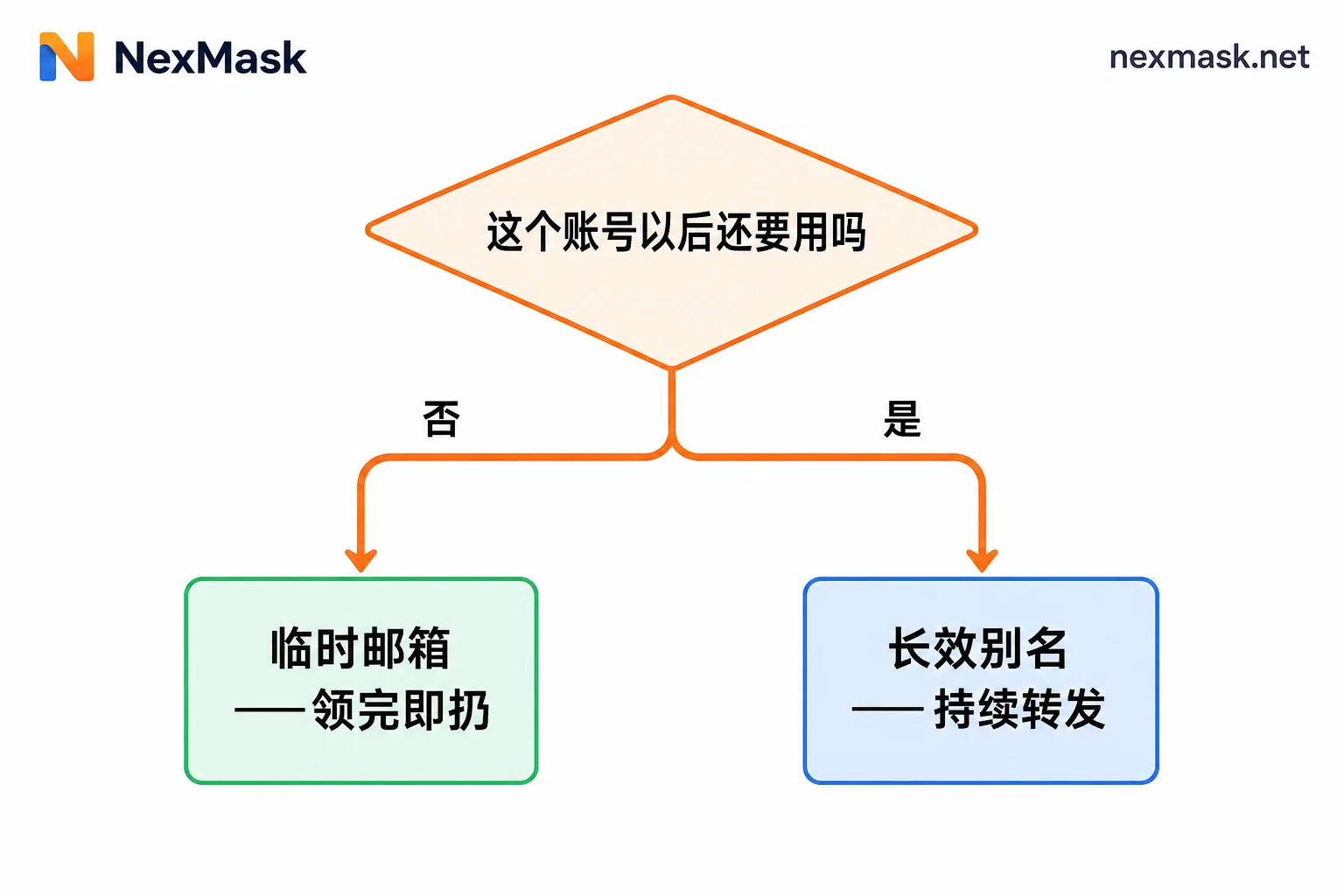
The principle of a permanent alias is one alias per site, with emails forwarded to your real inbox. You always retain login and account recovery capability, yet your real address is never exposed to the target platform. If one platform starts sending spam, disable that alias without affecting other accounts.
Another switch trigger: when a platform has blacklisted common temporary email domains, causing registration errors, using a permanent alias usually passes because aliases are typically not on blacklists.
If you frequently switch between one-time scenarios and accounts that need long-term maintenance, NexMask Temporary Email offers registration-free, zero-log receiving addresses that work immediately and expire as scheduled. If you encounter platform blocks or need to retain account access, you can switch to NexMask Permanent Alias, which supports disabling and email forwarding without exposing your real inbox.
For a more detailed comparison and scenario breakdown: How to choose between one-time temporary email and email aliases?
If registration is directly rejected with an error, learn how to identify the type of block: Registration rejected with temporary email? First distinguish three types of intercept signals




Comments(0)