 NexMask-官方博客
You want to lurk a post on an overseas forum, open a web page to generate a string of characters, fill it into the registration form, and this registration-free disposable email operation immediately bounces back with "invalid email." This frustration is not because you made a mistake, but because the entire internet's tolerance for anonymous addresses is undergoing a structural shift.
The Real Barrier of Registration-Free Disposable Email Isn't Whether It Can Receive Mail
Many people mistakenly think the biggest drawback is not receiving verification codes, but technically, as long as the mail server delivers properly, this message will hardly be lost. The real sticking point occurs the moment the registration form is submitted: the website's risk control system is no longer simply checking email format but determining whether the domain and its underlying email infrastructure are trustworthy. Without an account and with expiry and destruction, you cannot receive password recovery emails; one-way receiving prevents the website from verifying email ownership. These four characteristics together determine that it will inevitably fail in scenarios requiring identity retention.
Static Blacklist Hit Rate Only 59%: Detection Shifts to MX Fingerprinting
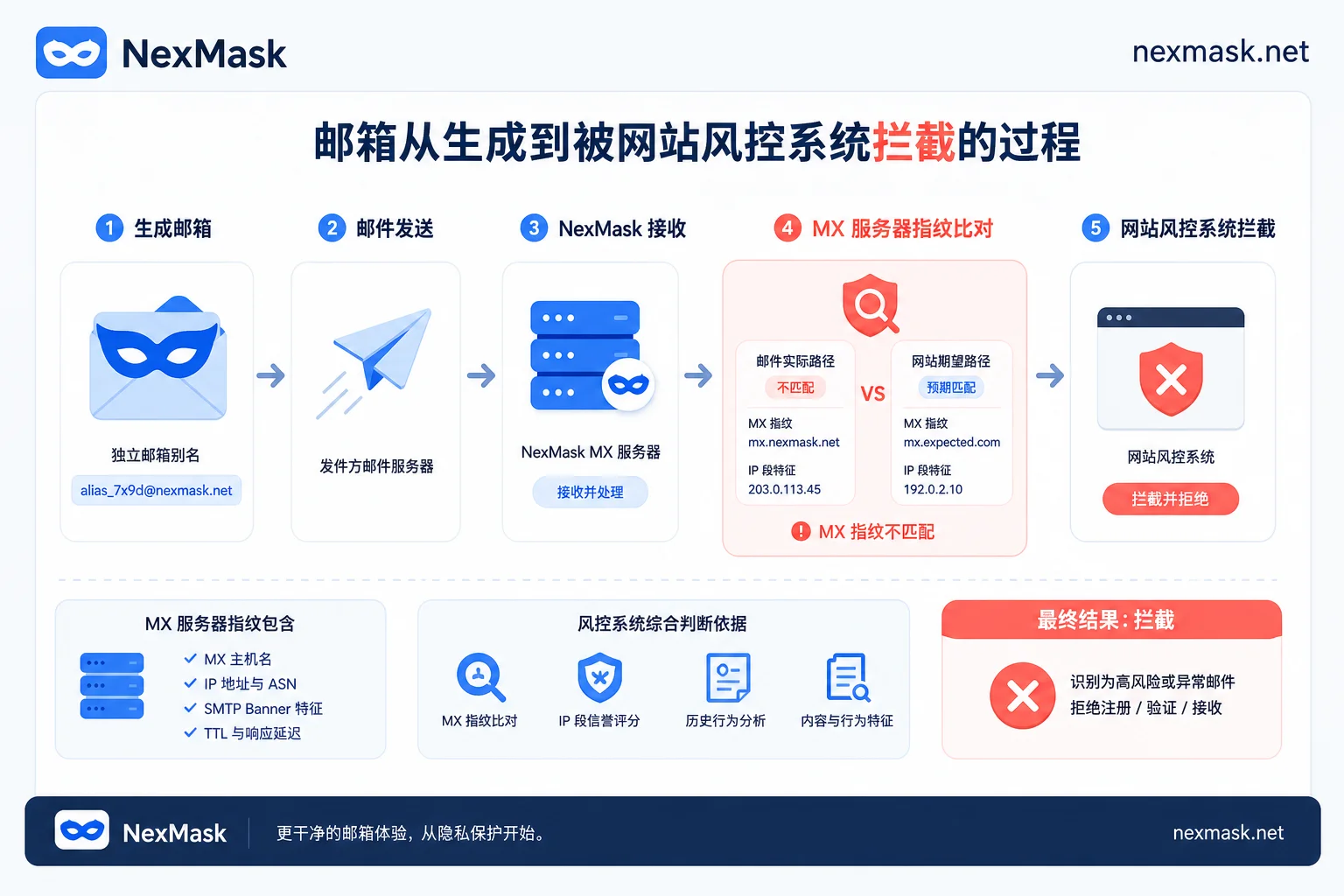
Why is it that even after you switch three different domains, the system still flags you as a spam source? According to a benchmark evaluation of 17 temporary email detection services in June 2026, detection relying solely on open-source static blacklists averaged only 59% hit rate, and it decays rapidly with dynamic domain rotation. Modern SaaS platforms have upgraded their risk control logic, shifting to real-time reverse resolution through MX server infrastructure fingerprinting (MX Clustering). Similar to how a courier company doesn't just look at the recipient's name but also verifies the sending branch and logistics path to judge the package's origin, even if the front-end domain changes, as long as the back-end points to the same IP range of cheap mail service providers, they get clustered and blocked in batch.
Why Apple Retains Hide My Email on icloud.com Rather Than a Separate Subdomain
This technical context explains why large tech companies are so cautious about domain isolation. On August 24, 2026, Apple released an update to developers, urgently revoking the plan to migrate all iCloud+ Hide My Email to the private.icloud.com subdomain; privacy aliases continue to reside under the main @icloud.com domain. Meanwhile, new credentials for Sign in with Apple will still migrate to a separate subdomain as planned. Apple's decision inversely confirms a harsh reality: once characteristic domains are concentrated, websites can block the entire domain with a simple domain matching rule. Sharing the main domain with hundreds of millions of regular users is a key moat for maintaining alias usability. In contrast, publicly available registration-free disposable emails naturally fall on the easily blocked end because they lack this obfuscation from a massive number of real users.
From Receiving Verification Codes to Finance and Government: Six Types of Use Cases and Their Feasibility
Different scenarios have very different requirements for email lifecycle. The table below compares the suitability of different forms across various use cases, based on official public information.
| Use Case | Typical Need | Registration-Free One-Time Inbox (e.g., NexMask) | Long-Term Anonymous Alias / Custom Domain Alias |
|---|---|---|---|
| Short-Term Verification | Receive forum verification codes, download links | ✅ Suitable | ⚠️ Slightly redundant |
| Service Trials | Software free trials, API key acquisition | ✅ Suitable | ✅ Suitable |
| Content Viewing | News subscriptions, non-verified community browsing | ✅ Suitable | ✅ Suitable |
| Logistics Notifications | E-commerce order status, shipping alerts | ❌ Not Suitable | ✅ Suitable |
| Long-Term Accounts | Social networks, primary cloud service accounts | ❌ Absolutely Avoid | ✅ Suitable |
| Finance & Government | Bank accounts, tax filing, social security queries | ❌ High Risk | ❌ Not Recommended |
The capabilities in this column are based on official public information from NexMask's website in October 2026. For users who just want to quickly pass a verification step, specific troubleshooting ideas for disposable email registration rejected what to do need to be determined based on site rules.
"Invalid Email" and "Never Received" Have Different Causes
When facing obstacles, it's crucial to distinguish the stage of failure. The first case is when the page immediately indicates "email not supported" while filling the form. This is the domain and MX determination at the form level. At this point, changing to another domain from the same provider is usually ineffective because the back-end infrastructure fingerprint hasn't changed. The second case is when registration passes but the account is later restricted or asked to change email, which belongs to behavior scoring and secondary verification, often because the new account triggered abnormal login or sending behavior in a short time. The third case is the most subtle: the page shows "sent," but the inbox remains blank. This usually means the sender directly discarded the email, or the self-destructing inbox has reached its lifecycle end and doesn't produce bounce messages or accept replies. For different symptoms, the former requires switching to a completely different provider, while the latter requires checking if delays caused emails to land in spam or be silently discarded.
Whether This Address Will Need to Receive Mail in the Future Determines Tool Choice
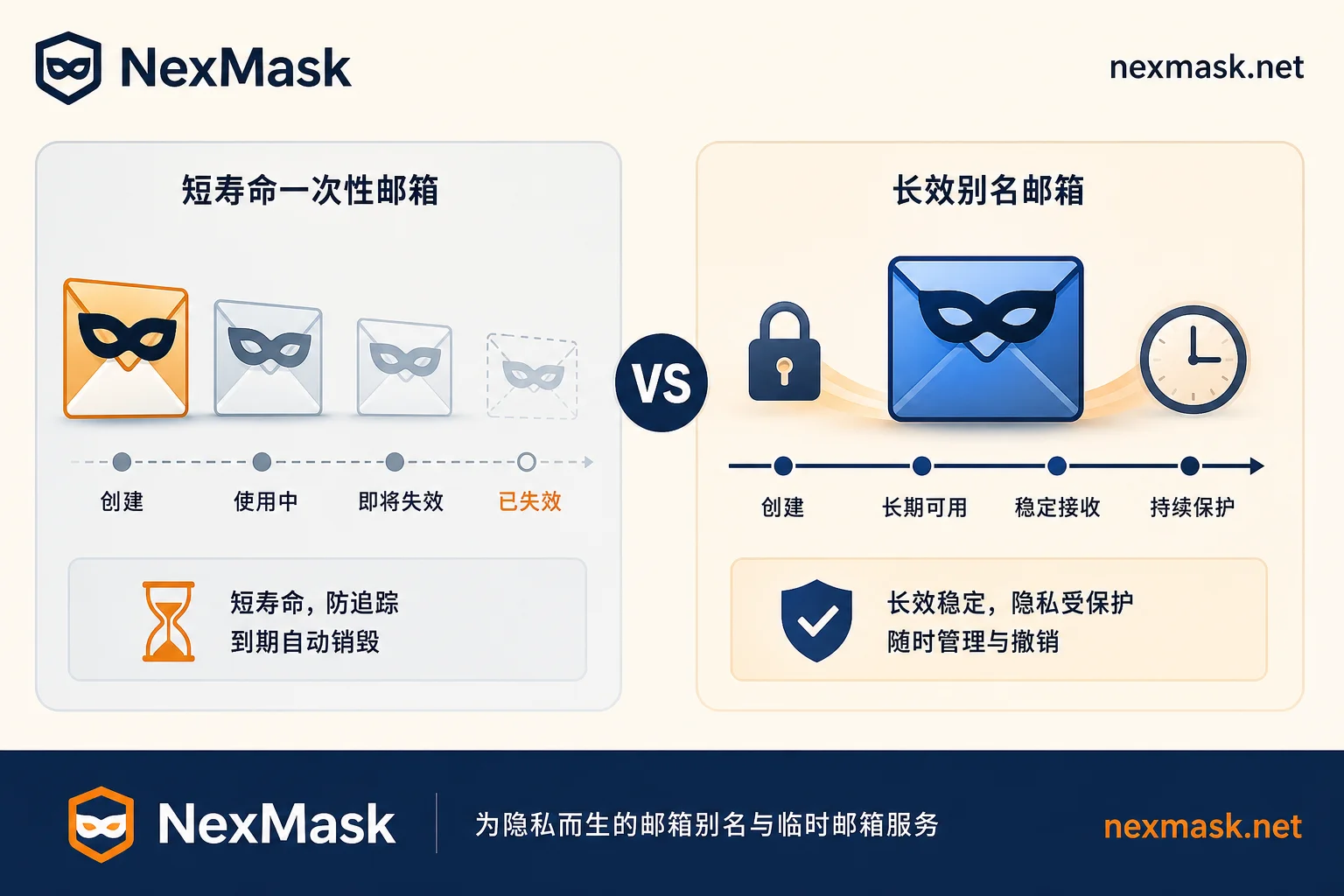
To decide whether to continue using a registration-free inbox, the core axis is simple: will this address need to receive any information in the future? If the email only needs to be checked once for a verification code within minutes, a registration-free inbox is efficient enough. But if the address needs to receive password resets, bills, subscriptions, or customer service replies, you need an address that can survive long-term, be independently deactivated, and have a controllable domain. Long-term anonymous aliases and custom domain aliases offer different levels of control. If you decide to switch from a temporary inbox, be sure to complete the email change on the target account first before destroying the old address. Regarding how to choose between one-time disposable email and email aliases, it mainly depends on your need for long-term email reception.
Frequently Asked Questions
Can a disposable email without registration actually receive verification codes?
In most cases, yes, but the success rate depends on the target website's detection strictness. If the site only does basic format checks, immediate delivery is high; but if MX fingerprint detection is enabled, it may be blocked before submission. It's recommended to prefer reputable mainstream providers and avoid overly obscure domains.
What can I do when the registration page says "email not supported"?
Since domains from the same provider share back-end infrastructure, they are ineffective. Try switching to a service that uses a different email gateway, or use a long-term alias service supporting custom domains to leverage your own domain's reputation to bypass blacklists.
How do websites determine if an address belongs to a temporary email?
Besides comparing against known domain blacklists, the main method is parsing MX records. If multiple seemingly unrelated domains point to the same IP range of cheap mail exchange servers, risk control systems cluster them as the same batch of temporary email resources and implement batch blocking.
Can emails be retrieved after a registration-free inbox expires?
No. The core feature of such services is data minimization; emails are physically deleted or irreversibly cleared after a set time. Once expired, you cannot view historical content, nor can you receive reset links or important notifications through that address.
What privacy considerations are there when using such inboxes without registration?
Although you don't need to provide personal information, the generated inbox address may be guessed by other users. It should not be used for scenarios involving contact with acquaintances to prevent accidental privacy leaks or social engineering attacks.




Comments(0)